Is It Safe to Use Unsecured WiFi in Hotels? (Risks and Protection)
Contents
- Key Takeaways
- Is It Safe to Use Unsecured WiFi in Hotels?
- Common Security Vulnerabilities in Hotel WiFi Networks
- Key Cybersecurity Threats on Hotel Networks
- Why Public and Hotel WiFi Are Especially Risky
- Dangers of Unsecured and Rogue Hotspots
- How to Stay Safe on Hotel Wi-Fi
- Using a VPN for Secure Connections
- Critical Steps to Minimize Risk on Hotel Networks
- Recommended Security Tools and Software
- Safe Browsing and Online Behavior Guidelines
- Frequently Asked Questions
- What are the risks of connecting to hotel Wi-Fi without security?
- How can I protect my data on a public Wi-Fi network?
- Are there safer alternatives to using hotel Wi-Fi for internet access?
- How can I tell if a hotel’s Wi-Fi network is secure before connecting to it?
- Sources
Hotel WiFi networks are often open, with no Wi-Fi password, which leaves any unencrypted traffic visible to others nearby. Many travelers connect without thinking twice.
Using hotel Wi-Fi is usually safe for everyday browsing, because most websites and apps now encrypt your data, according to the FTC. The real risks are fake networks, the occasional unencrypted site or app, and scams that trick you into handing over information yourself.
The good news is that travelers can protect themselves with simple security steps. Understanding the risks and knowing which tools to use makes it possible to stay connected without putting personal information in danger.
Key Takeaways
- Open hotel WiFi networks don’t encrypt traffic themselves, but HTTPS sites and most apps do
- Fake look-alike networks and unencrypted sites are the main ways data gets exposed
- Using security tools and following safety practices helps protect data when connecting to hotel WiFi
Is It Safe to Use Unsecured WiFi in Hotels?
Hotel WiFi networks carry some security risks that many travelers overlook, even though encryption on most websites has made them far safer than they once were.
Common Security Vulnerabilities in Hotel WiFi Networks
Hotel networks are shared by many guests at once, and not every hotel isolates devices from each other. Security also varies from one property to the next.
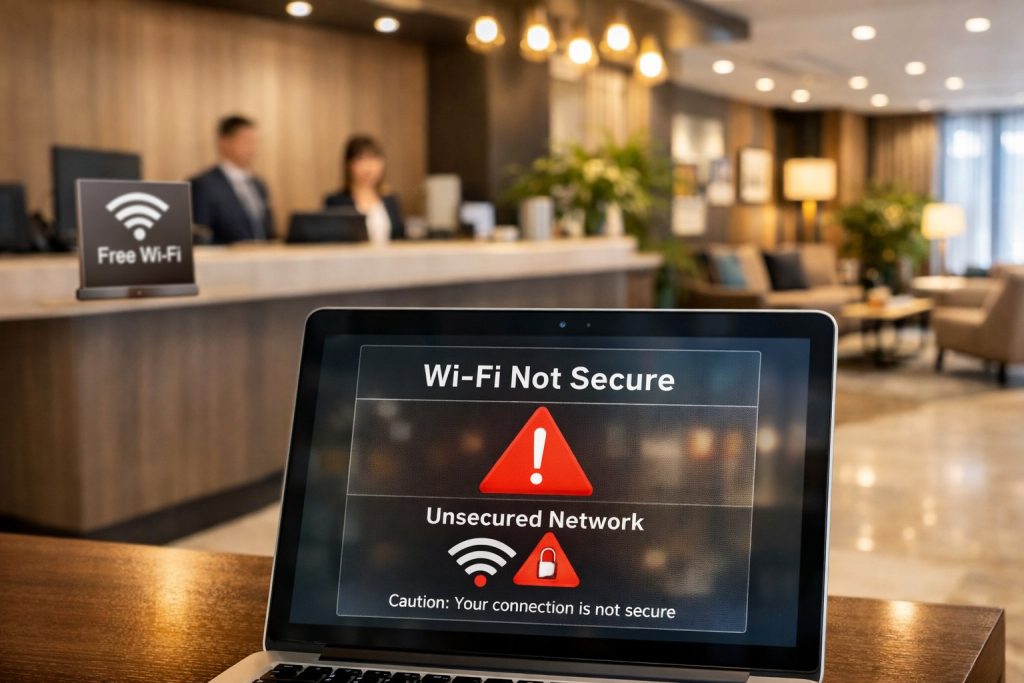
Many hotel networks are open, so the Wi-Fi itself adds no encryption. Anything you send without HTTPS can travel in plain text.
The login page that asks for a room number and last name controls access and billing; it doesn’t encrypt your traffic. A network password shared with every guest offers limited protection, too.
Key Cybersecurity Threats on Hotel Networks
Man-in-the-middle attacks (MITM attacks) are a classic threat on shared WiFi. Attackers position themselves between a guest’s device and the internet connection to intercept data passing through. Encryption (HTTPS) keeps the contents unreadable, so the risk centers on unencrypted sites and fake networks.
Packet sniffing lets someone capture data traveling across an open WiFi network. It can expose information sent without encryption, but not the contents of HTTPS pages.
Other major threats include:
- DNS spoofing – redirects users to fake websites that look legitimate
- Router hacking – gives attackers control over network traffic
- Eavesdropping – monitors all online activity without detection
- Identity theft – steals personal information for fraudulent use
These attacks happen quietly in the background, which is why prevention matters more than detection.
Why Public and Hotel WiFi Are Especially Risky
When you use Public Wi-Fi and hotel WiFi, they share the same fundamental problem: too many unknown users on one network. Unlike home networks with a few trusted devices, hotel networks connect dozens or hundreds of strangers simultaneously.
Hotels prioritize convenience over security. They want guests to connect quickly without complicated passwords or verification steps. This open-door policy makes it simple for criminals to join the same network.
The high turnover of guests creates another risk factor. New people constantly join and leave the network, making it impossible to track suspicious activity. Attackers blend in with legitimate travelers.
Hotel WiFi also covers large physical areas. Signals often reach parking lots, lobbies, and nearby streets where attackers can connect without being hotel guests.
Dangers of Unsecured and Rogue Hotspots
A rogue hotspot is a fake WiFi network that mimics the legitimate hotel network. Attackers create these networks with names like “Hotel_Guest_WiFi”, “free hotel wi-fi”, or “Free_Lobby_Internet” to trick travelers.
Evil twin attacks use rogue hotspots that look identical to real hotel networks. The fake network often has a stronger signal, causing devices to connect automatically. Once you’re connected, every piece of data passes through the attacker’s system.
Open WiFi adds no encryption of its own. Someone on the same network can see unencrypted traffic and which sites you connect to, though HTTPS keeps the contents of those pages private.
These fake networks are hard to spot. They appear in the same WiFi list as the real hotel network. Guests often connect to whichever network has the strongest signal without checking if it’s legitimate.
How to Stay Safe on Hotel Wi-Fi
Hotel Wi-Fi networks expose users to real security risks, but specific tools and practices can protect personal data. A VPN encrypts internet traffic, HTTPS connections add another layer of security, and careful browsing habits prevent the most common threats.
Using a VPN for Secure Connections
A VPN (virtual private network) creates an encrypted tunnel between a device and the internet. This encryption prevents others on the same hotel network from seeing browsing activity or stealing login credentials.
When travelers use a VPN, their data becomes unreadable to anyone monitoring the network. Reputable VPN providers encrypt all internet traffic before it leaves the device, which adds protection on networks you don’t control.
Travelers should activate their VPN before connecting to hotel WiFi. The VPN should remain on for the entire session. Free VPN services often sell user data or provide weak encryption, so paid options from established companies offer better protection.
A virtual private network also masks the user’s real IP address and location. This makes it harder for hackers to target specific devices on the network.
Critical Steps to Minimize Risk on Hotel Networks
Users should verify the correct network name with hotel staff before connecting. Hackers often create fake networks with names similar to the hotel’s official WiFi to trick guests.
Turn off file sharing on all devices. This prevents others on the network from accessing shared folders or documents. Bluetooth should also be disabled when not actively in use, as it creates another entry point for attacks.
For banking, use your bank’s official app or confirm the website uses HTTPS. If you want extra margin on public networks, switch to cellular data or a VPN for financial tasks.
Travelers should disable automatic WiFi connections on their devices. This prevents phones and laptops from connecting to unknown or dangerous networks without permission.
Recommended Security Tools and Software
Essential Security Software:
| Tool Type | Purpose | Priority |
|---|---|---|
| VPN | Encrypts all internet traffic | Critical |
| Antivirus | Blocks malware and threats | High |
| Firewall | Controls incoming/outgoing connections | High |
| Password Manager | Stores and generates strong passwords | Medium |
A firewall monitors network traffic and blocks suspicious connections. Most devices include built-in firewalls that should stay enabled at all times.
Antivirus software detects and removes malware that might be transmitted over unsecured networks. Users should keep this software updated with the latest threat definitions.
Password managers create and store strong passwords for each account. This prevents the reuse of passwords across multiple sites, which limits damage if one account gets compromised.
Multi-factor authentication (MFA or 2FA) adds a second verification step beyond passwords. Even if someone steals login credentials over hotel WiFi, they cannot access accounts without the second factor.
Safe Browsing and Online Behavior Guidelines
Always check that websites use HTTPS before entering any information. The padlock icon in the browser’s address bar indicates an encrypted connection, but the FTC notes that scam sites can use encryption too, so a padlock doesn’t prove a site is legitimate.
Watch for phishing attempts that may increase on public networks. Hackers send fake emails or messages that appear to come from legitimate companies. Users should verify sender addresses carefully and avoid clicking suspicious links.
CISA recommends passwords of at least 16 characters, using a random mix of letters, numbers, and symbols or a passphrase of unrelated words. Each account needs a unique password to prevent credential stuffing attacks.
Limit the information shared while connected to the hotel WiFi. Save online shopping, financial transfers, and sensitive work tasks for more secure connections when possible. Log out of accounts immediately after use rather than staying signed in.
Users should check their bank and credit card statements regularly after traveling. This helps catch any unauthorized transactions that might result from compromised credentials.

Frequently Asked Questions
Hotel Wi-Fi poses real security threats, but travelers can take practical steps to protect themselves. Understanding the specific risks and available safeguards helps people make informed decisions about connecting to these networks.
What are the risks of connecting to hotel Wi-Fi without security?
Attackers can capture personal information sent without encryption on open hotel Wi-Fi. They may also set up fake networks that look legitimate to steal passwords and card numbers.
A “man-in-the-middle” attack on a fake or compromised network can expose unencrypted traffic. HTTPS and encrypted apps keep the contents of emails and bank sessions protected.
Devices with file sharing turned on or missing security updates are easier targets on any shared network.
How can I protect my data on a public Wi-Fi network?
A VPN (Virtual Private Network) encrypts all internet traffic and hides online activity from hackers. This creates a secure tunnel between a device and the internet.
For banking or card payments, use HTTPS sites or official apps, or switch to cellular data or another secure connection. Turning on multi-factor authentication protects accounts even if a password leaks.
Keeping devices updated with the latest security patches closes vulnerabilities. Turn off automatic connection settings and file sharing features before joining any public network.
Are there safer alternatives to using hotel Wi-Fi for internet access?
Mobile hotspots from cell phone carriers provide dedicated, password-protected connections. These personal networks don’t share bandwidth with strangers and offer better security.
Using a smartphone’s cellular data connection is more secure than hotel Wi-Fi. Many phone plans include enough data for basic browsing and email checking while traveling.
Portable Wi-Fi devices can be rented or purchased for travel. These create private networks and often work in multiple countries.
How can I tell if a hotel’s Wi-Fi network is secure before connecting to it?
Secure networks require a password and display a lock icon next to their name. Open networks without passwords offer no encryption and expose all traffic.
Guests should verify the official network name with hotel staff at the front desk. Hackers create fake networks with similar names to trick people into connecting.
A secure website shows “https” at the beginning of its address with a padlock icon in the browser. Sites without this encryption send information in plain text that anyone can read.
Sources
- Are Public Wi-Fi Networks Safe? What You Need To Know, Federal Trade Commission
- Use Strong Passwords, CISA